
Your business card, saved in one scan.
MyBusinessID turns your card into a QR. People scan it with their phone camera, your contact is saved, and you both keep where you met and why.
Create your cardWatch how it works
Free. Nothing to install. No sign-up.
- Phone
- +91 98200 00000
- anita@sample-exports.example
- Office
- Pune, India
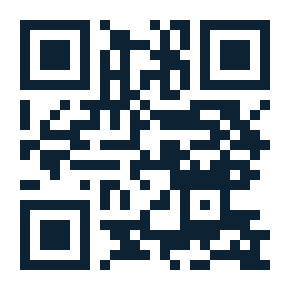 Scan to connect
An example card. Scan the QR to open this page on your phone.
How it works
Create your card
Take a photo of your paper card, upload one, or type your details. Add your company logo. It takes about a minute.
Someone scans your QR
Your contact is saved on their phone at once. One small box asks where you met and the purpose, in two lines.
The follow-up looks after itself
They get the details on WhatsApp with a Reply button that opens a chat with you. If they do not reply, a follow-up goes after three days.
See it in 90 seconds
From making a card to the follow-up, on the real screens. Captions only, no sound.
Everything in it
- Card from a photo
- Photograph your paper card and the details and logo are read from it. Or type them in.
- QR, link and image
- Show the QR on your screen, share your card link, or save the QR image for print.
- Saved in one scan
- The other person needs no app. Their phone camera opens your card and saves your contact.
- Where you met, and why
- Each contact carries the place, with current location in one tap, and the purpose of the meeting.
- WhatsApp message
- When they give their number, the meeting details reach them on WhatsApp with a Reply button to you.
- Automatic follow-ups
- Up to three follow-ups if they do not reply. They stop the moment someone replies or sends STOP.
- Contact list with context
- Search by name, company, event or topic. Call, email or send the WhatsApp follow-up in one tap.
- Reminders and calendar
- Every contact gets a follow-up date. Turn on reminders or add the follow-up to your calendar.
- Paper cards in bulk
- Back from an exhibition with a stack of cards? Photograph them and add them together.
- Excel and CRM
- Export your contacts for Excel, or send each new contact straight to your CRM.
- Event mode
- Set the event once. Every person you meet there is saved with its name and venue.
- Twelve languages
- English, Hindi, Marathi, Tamil, Telugu, Arabic, French, German, Italian, Spanish, Portuguese and Dutch. Choose yours from the menu at the top.
- Move to a new phone
- Back up your card and contacts with your own passphrase and restore them on another phone.
- Find on LinkedIn
- Open a contact's LinkedIn profile, or search for them by name and company.
For teams and events
Give every person on your team a card in the same format, with your logo. At an exhibition or a business meet, event mode files every new contact under that event.
Your contacts stay yours
Your card and the contacts you save are stored on your own phone. A WhatsApp message goes only to a person who typed their own number, and they can stop it by replying STOP.
Read the privacy notice, written for GDPR and India's DPDP Act.
Make your card now.
It is free and takes about a minute.
Create your card